Tourism · Gulf Today
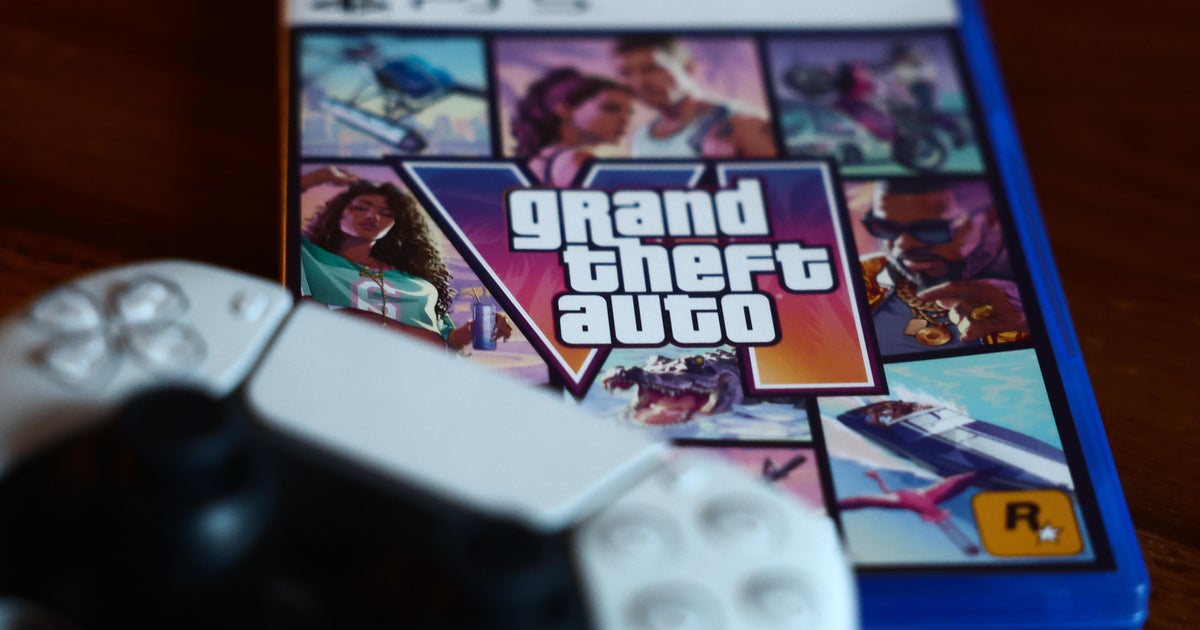
ZDNET’s key takeaways I streamed GTA VI from my PS5 to my PC using PS Remote Play. I then shared gameplay with friends on Discord. I had consistent video quality, although there was some input lag.
You can stream GTA VI from your PS5 to a PC using PS Remote Play , then share your gameplay with friends through Discord’s screen-sharing feature. I tested this setup on launch day and found that video quality remained consistent, although input lag made driving and shooting more difficult. Also: Can your PC run GTA VI?
The minimum requirements to expect I normally don’t preorder or buy games on Day One, but c’mon, it’s GTA VI . I was the first in my friend group to play on launch day; I was like a kid on Christmas morning. But I didn’t want to keep it all to myself, so I made plans to stream the game via Discord for a private watch party with my friends.
More from ZDNET Using both the PS Remote Play app and Discord’s built-in screen sharing, I created an imperfect-but-workable solution — and got to have a bonkers good time with my friends despite GTA VI being a single-player experience. Streaming GTA VI with PS Remote Play and Discord Input lag can make driving in-game difficult. Taylor Clemons/ZDNET The first few hours of GTA VI are absolutely Florida Man Simulator, and what better way to honor that than to find a jerry-rigged solution for sharing gameplay?
The PS Remote Play app lets you stream gameplay to your smart TV or PC from your PS5 console, and then I simply used Discord’s screen-sharing feature to show the app to my friends. I was most worried that both programs might compress the video feed into a pixelated, bitcrushed mess, but frequent check-ins from the peanut gallery assured me that everything was running smoothly and looking crisp. Also: Need a GTA VI headset?
Use headphones you own – with settings tweaks Using PS Remote Play did add a significant amount of input lag to my GTA VI gameplay, and while it’s easy enough to compensate for, it does make gunplay and driving slightly frustrating experiences. As someone who is more used to real-world driving simulators like American Truck Simulator and Assetto Corsa Competizione, the driving already feels a touch too floaty and slippery, and the lag means you have to plan every turn and stop well in advance to avoid sliding into the environment or slamming into the back of an NPC vehicle and getting the cops called on you. The gunplay lag is much easier to compensate for, especially if you keep your focus buffed and the meter filled to pull off trick shots and down multiple enemies without wasting ammo.
The Grassrivers map region gives you plenty of waterways to explore for side missions, minigames, and Sasquatch sightings. Taylor Clemons/ZDNET Streaming GTA VI to my friends also helped spark some interesting conversations about where we could see different influences from other Rockstar games, like the Heat system working very similarly to Red Dead Redemption 2’s Wanted mechanic: If you get caught committing a crime but manage to evade the police, that area of the map holds “heat,” so police and NPCs will be more vigilant and quicker to respond to reported crimes. We also took plenty of time to just poke around Leonida and get a feel for the game world.
Also: Fake GTA 6 PC downloads are flooding the web We went deep-sea fishing at night, searched underwater wrecks for treasures to sell, drove dirt bikes through the swamps, and watched several hours of in-game television ( Right Wing on Weazel News is actually very good, and the Visit Leonida tourism ads are comedy gold). At some point, we fully abandoned the main storyline and even the side quests to go looking for Sasquatch and UFOs in the Grassrivers (the in-game equivalent of the Florida Everglades). My GTA VI streaming advice – and a caveat As long as you have a decently fast internet connection, you’re likely to maintain consistent video quality while streaming GTA VI to friends on Discord or even to a live audience on YouTube or Twitch.
Despite being captured by both PS Remote Play and Discord, the video feed wasn’t compressed much in my testing. I don’t pay for Discord Nitro , so I streamed GTA VI in 720p — not the best video quality, but it’s good enough for a private watch party with my friends on our own server. If you do pay for Nitro, you’ll be able to stream in 1080p full HD to better show off GTA VI’s beautiful visuals (seriously, it is a breathtaking game, and I am very sad I can’t actually visit and dance with Rhonda & her pet iguana, Princess).
Also: Best early Black Friday gaming laptop deals You could also use a program like OBS to capture gameplay footage from your PS5 without having to set up an expensive capture card, making it that much simpler to share GTA VI with a live audience on YouTube or Twitch. And even though there is a touch of noticeable lag when streaming via PS Remote Play, it’s not bad enough to detract from the fun, even after the Day 1 excitement faded. Taylor Clemons Staff Writer Taylor Clemons is a tech writer and reviewer based near Cleveland, OH.
After graduating from Tiffin University in 2011, they spent several years in lawn and garden manufacturing before working on their own (now defunct) game review site, Steam Shovelers. From there, Taylor expanded into writing about consumer technology like televisions, home audio equipment, and smart home devices at Lifewire. Taylor's work can also be found at The Balance, TechRadar, Tom's Hardware, SPY.com, GameSkinny, IndieHangover, The Inventory, and Forbes.
See full bio The Latest from Taylor I streamed GTA VI to my PC – it was awesome, even with lag Can your PC run GTA VI? The minimum RAM, GPU, and CPU requirements to expect Want GTA VI on PC? Fake downloads and scams are everywhere – how to stay safe
Source: ZDNET